![2BTech_FavIcon-WHITE-OUTLINE.png]](https://kb.2btech.io/hs-fs/hubfs/2BTech_FavIcon-WHITE-OUTLINE.png?height=1412&name=2BTech_FavIcon-WHITE-OUTLINE.png)
Technical Note No. 38
Procedure for Installing a Bluetooth Device and Breakout Board for a Model 106 Series Ozone Monitor
Date: 07 November 2014
Author: Brian Carpenter
Requirements
-
2B Technologies Inc. Model 106 Series Ozone Monitor
- Bluetooth Wireless Received and Transmitter
- Computer
Optional
-
Model 106 Breakout Board
Background
If you want to use the 4-20 mA analog output capability with your Model 106 series ozone monitor along with a Bluetooth wireless transmitter and receiver, you will need our 106 Breakout Board. This manual explains how to install the Bluetooth devices to your computer and install/secure the 106 Breakout Board and Bluetooth device to the back of your 106 series instrument. If you do not wish to use the analog out capabilities of your 106 series instrument, the Breakout Board is not necessary and you can simply directly connect your Bluetooth device to the RS-232 jack on the back of your instrument.
Procedure
1. Along with your instrument, you will receive two different boxes containing your Bluetooth devices. Both of the boxes are marked with a sticker at the top signifying which Bluetooth plugs into the instrument and which plugs into your computer. 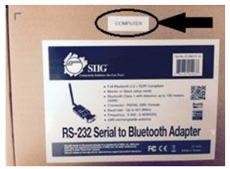
2. Each Bluetooth device is marked with a
sticker (on the front and back) signifying what the device is configured 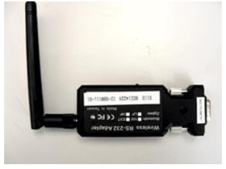 for. One device is already configured for your ozone monitor and the other is to be plugged into your computer. All of the switches on the Bluetooth devices are already setup to function properly.
3. First, plug the Bluetooth device 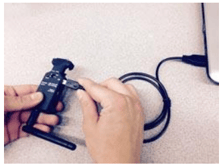 labeled “computer” into your computer via the provided USB cable. This cable will provide power to the device.
4. Next, plug the Bluetooth device into your computer via a
RS-232 cable or directly connect it to the RS-232 jack in the 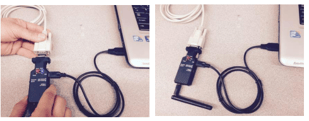
back of your computer.
5. To install your Bluetooth device with the Breakout
board, insert the Breakout board directly into the RS-232 jack on 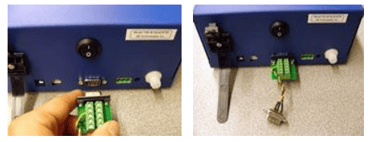
the back of your 106 series ozone monitor.
6. Plug the provided USB cable into your
Bluetooth device. This cable will provide power 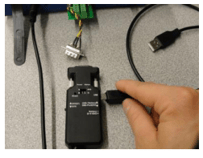 to the device. You can plug the other end of the USB cable into your computer or a wall socket USB adaptor.
7. Next, plug the Bluetooth device into your instrument via
the RS-232 jack attached to the Breakout Board. 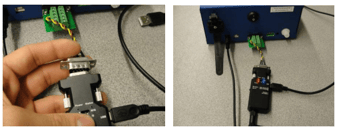
8. To secure the Bluetooth device to the back of your instrument, simply place it in 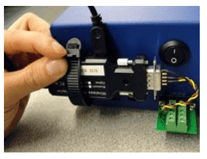
the Bluetooth mounting clamp and pull the “zip tie” until the Bluetooth device is securely fastened. Be careful not to alter the positions of any of the switches on the Bluetooth device.
9. Plug in the power cord for your instrument and the USB power cord for your Bluetooth device and your instrument’s Bluetooth will
automatically connect to the other Bluetooth device (attached to your computer). 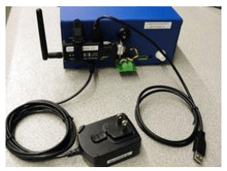
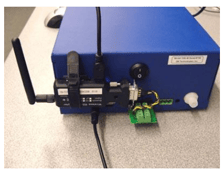
10. When you have completed all of the above steps this is
what the back of the instrument should look like.