![2BTech_FavIcon-WHITE-OUTLINE.png]](https://kb.2btech.io/hs-fs/hubfs/2BTech_FavIcon-WHITE-OUTLINE.png?height=1412&name=2BTech_FavIcon-WHITE-OUTLINE.png)
Technical Note No. 029
Using 2B Data Display Software on Windows 7
Date: 13 December 2011
Author: Craig Williford
Summary: As of 12/13/11, using the 2B Data Display software on Windows 7
requires the “User Access Control” to be set to the lowest level. If not set to the
lowest level, the program cannot access the configuration files correctly and the
software will not work. The following is a procedure describing how to set the
“User Access Control” to the lowest level.
1. Enter the control panel by selecting Start -> Control Panel.
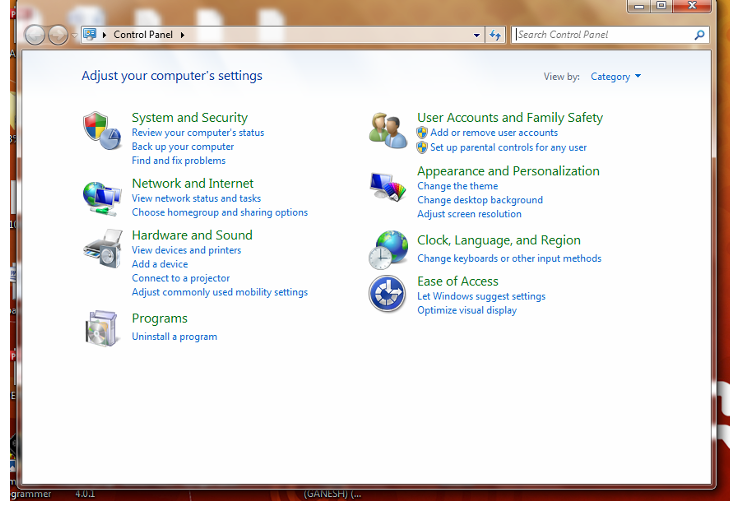
2. Select User Accounts and Family Safety.
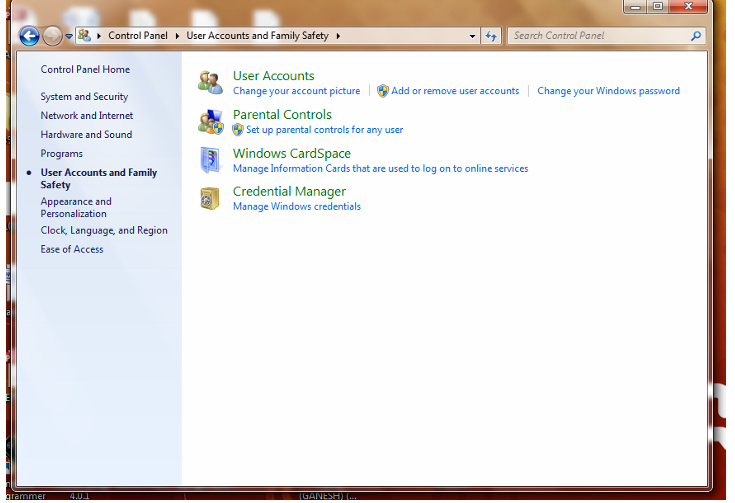
3. Select User Accounts.
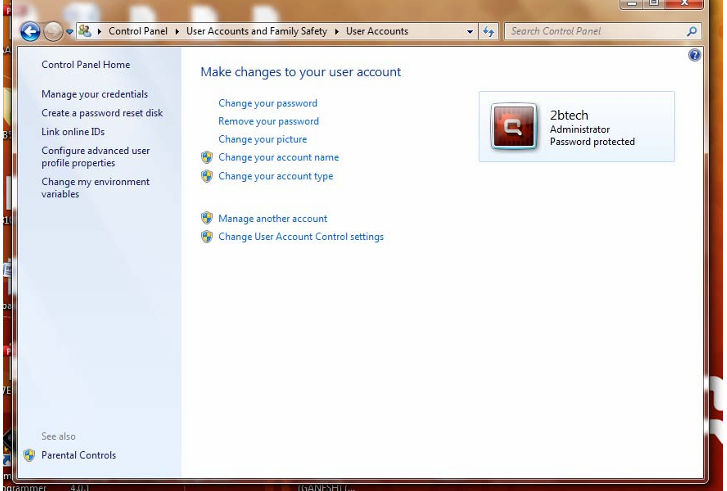
4. Select Change User Account Control settings and drop the level to “Never notify”.
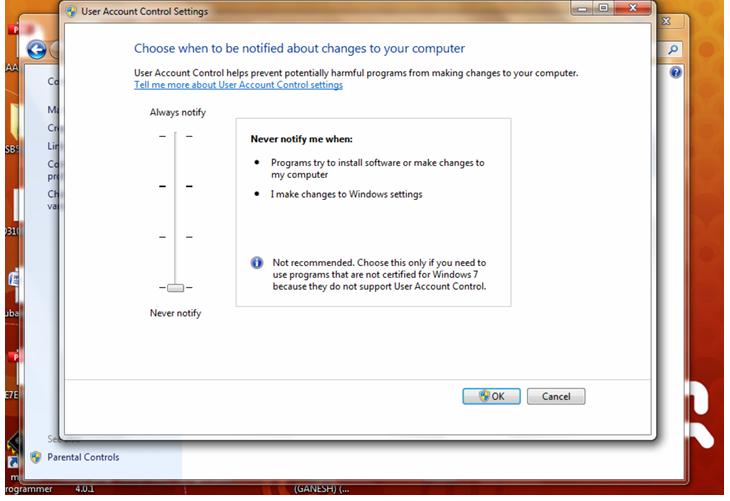
5. You must then restart the computer in order for the new settings to work.