![2BTech_FavIcon-WHITE-OUTLINE.png]](https://kb.2btech.io/hs-fs/hubfs/2BTech_FavIcon-WHITE-OUTLINE.png?height=1412&name=2BTech_FavIcon-WHITE-OUTLINE.png)
Technical Note No. 055
Guide for Extending Gill AQSync MET Station
Date: 6 February 2024
Author: Luke Greenidge
Summary:
This Technical Note provides guidance for extending the AQSync weather station for
mounting further away from unit. This can be necessary if AQSync is installed in a
location where wind may be blocked from one or more directions.
Tools/Materials Needed:
- 3/16’’ Allen key
- 2B Tech Gill Weather MET station extension cord (40ft)
Depending on installation location different mounting hardware may be required.
Procedure:
1) Power AQSync off. Remove MET station and pole from AQSync using 3/16’’
Allen key. Disconnect the cord from the AQSync panel connector.
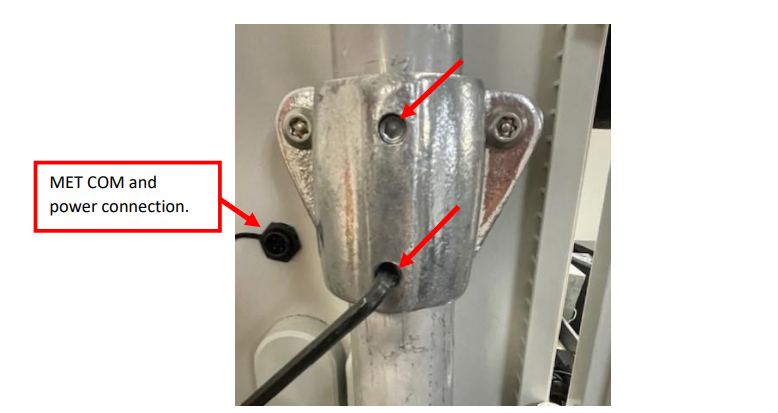
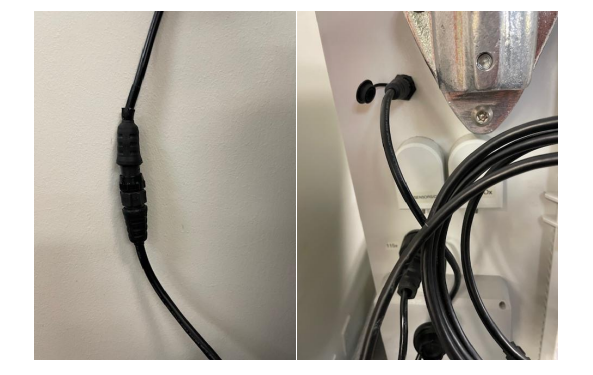
2) Connect extension cord to AQSync and MET weather station.
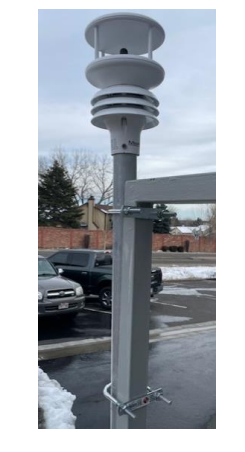
3) Mount pole and weather station in desired location free from physical disruption.
Ubolts or hose clamps are good methods for fixing the pole to another vertical
member. The pole is 1.75in (44mm) in diameter and 2ft long. Gill instruments
have additional mounting solutions.
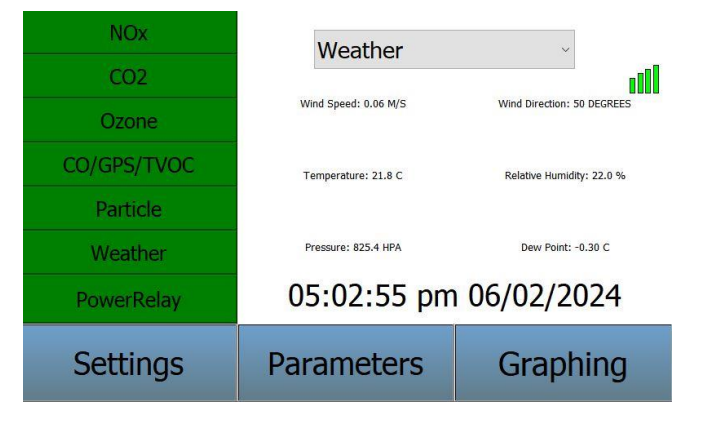
4) Check touchscreen that the MET station is still reporting data.