![2BTech_FavIcon-WHITE-OUTLINE.png]](https://kb.2btech.io/hs-fs/hubfs/2BTech_FavIcon-WHITE-OUTLINE.png?height=1412&name=2BTech_FavIcon-WHITE-OUTLINE.png)
Technical Note No. 034
Replacement of UV Lamp Assembly in Model 106-L and Model 106-M Ozone
Monitors™
Date: 18 January 2013
Author: Peter Andersen
Summary:
When it has been determined that the UV detection lamp on a Model 106-L or Model
106-M ozone monitor is operating with noise above the normal limit or is not working at
all, the lamp assembly can easily be replaced with the following steps:
1. Removing cover
2. Removing optical bench
3. Removing lamp assembly
4. Installing new lamp assembly (older instruments)
5. Installing new lamp assembly (newer instruments)
6. Replacing cover
7. Verifying lamp is working
Tools needed:
-Philips head screwdriver
Procedure:
1. Removing cover
a) Remove the 6 screws on the sides of the instrument.
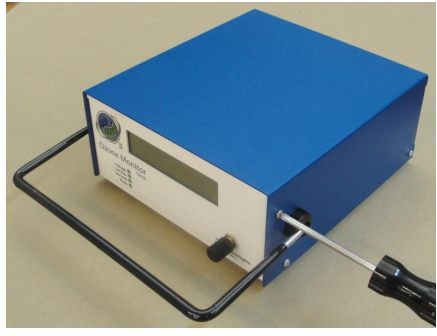
b) Pull the cover off the chassis and unplug the power switch at J1.
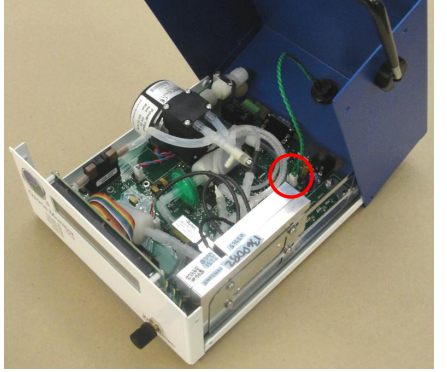
2. Removing optical bench
a) Disconnect the lamp connector from J17 on circuit board (white and purple twisted pair).
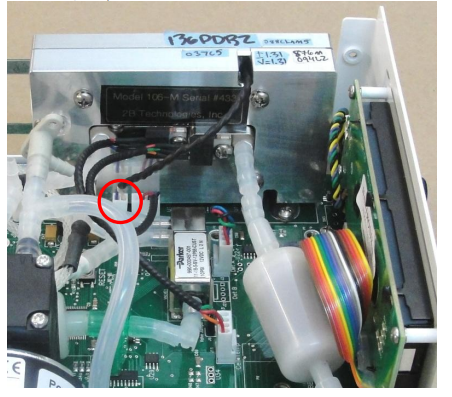
b) Disconnect the voltage regulator connector from J18 on circuit board (red, purple and black leads).
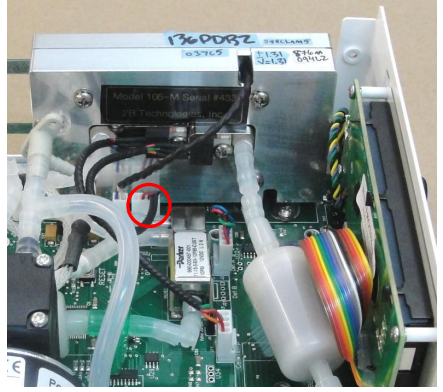
c) Disconnect the temperature sensor from J11 on circuit board (red, blue, black and green leads).
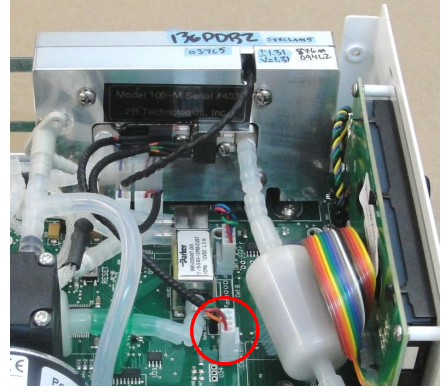
d) Disconnect the photodiode connector from J3 on circuit board (red, blue, black and green leads).
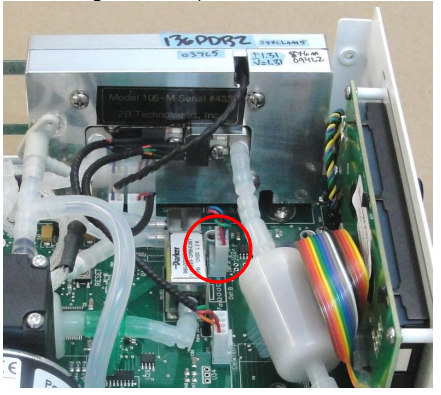
e) Disconnect the tubing to the inlet and outlet of the cell.
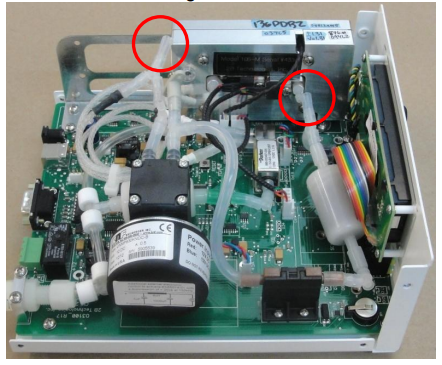
f) Use a Phillips screwdriver to remove the screws holding the optical bench to the instrument bracket.
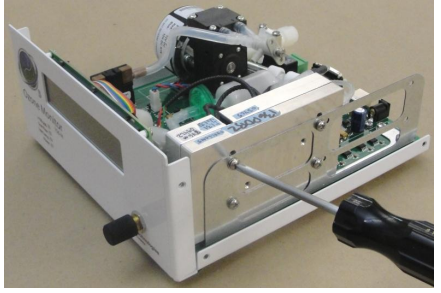
3. Removing lamp assembly
a) Use a Phillips screwdriver to remove the screws holding the optical bench together.
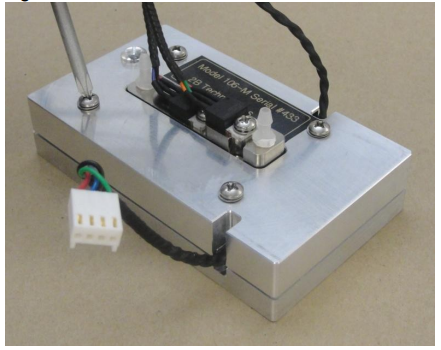
b) Lift the lamp assembly out of the metal clamshell.
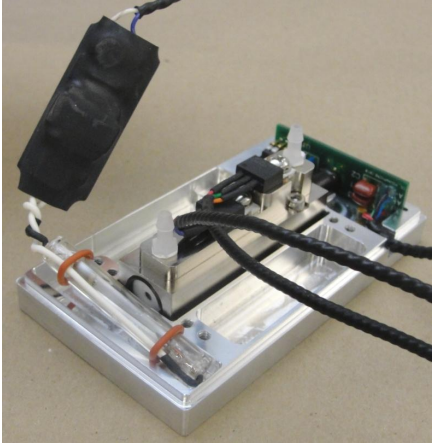
4. Installing new lamp assembly (older instruments)
This includes all lamp assemblies with small inverters (~1.5 cm x 2.5 cm).
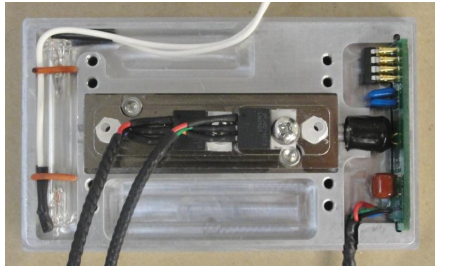
a) Place lamp into the metal clamshell, leaving the inverter and the wire leads outside. Make sure the photodiode assembly is also positioned correctly in the metal clamshell as shown in the photograph below.
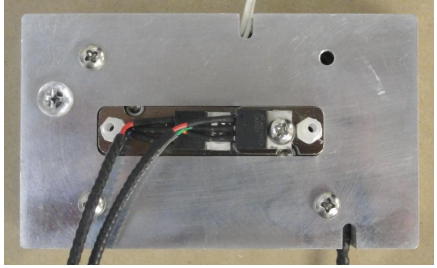
b) Replace the top of the optical bench with the lamp leads passing through the notch in the metal clamshell. If the clamshell does not close properly, there may be wires or components that are getting pinched in the optical bench. In this case, remove the top and position the components and wires in the proper slots shown above. Install 3 screws holding the optical bench together as shown in the photo below.
c) Install a zip mount on the front of the optical bench using the adhesive tape on the back of the mount and a #6-32x3/4” screw. This will be used to mount the inverter.
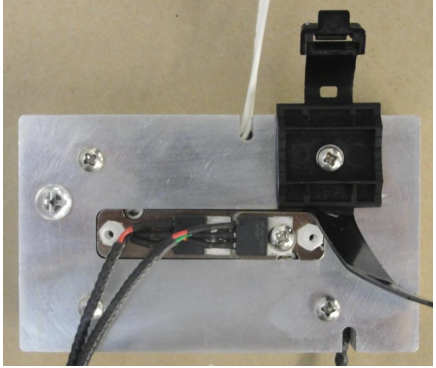
d) Mount the inverter in the zip mount.
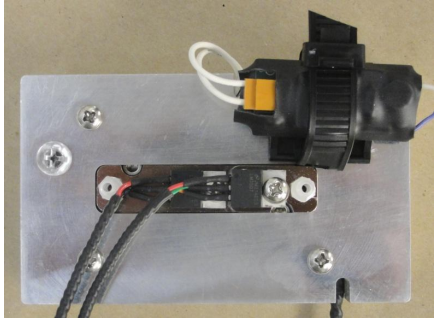
e) Install the optical bench in the instrument in the reverse order of above.
5. Installing new lamp assembly (newer instruments)
This includes all lamp assemblies with large inverters (~2 cm x 4 cm).
a) Place lamp and inverter into the metal clamshell.
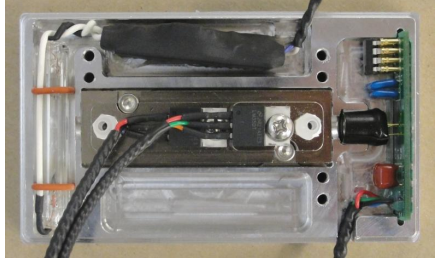
b) Replace the top of the optical bench with the lamp leads passing through the notch in the metal clamshell. Install the screws holding the optical bench together.
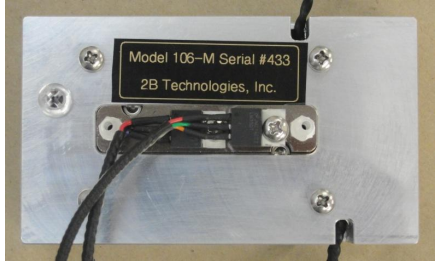
c) Install the optical bench in the instrument in the reverse order of above.
6. Replacing cover
a) Connect power switch on cover to J1 on the circuit board.
b) Install the cover by first sliding it over the connectors at the back of the circuit board and then lowering it down into position.
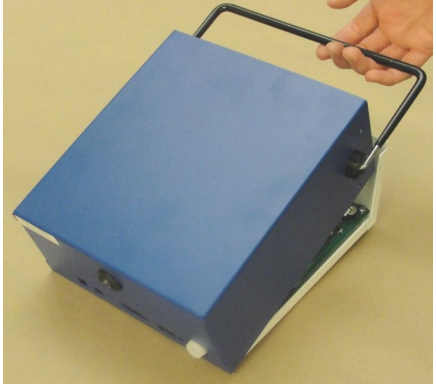
c) Install 6 screws on the sides of the instrument.
7. Verifying lamp is working
Power the instrument and perform lamp test as described in the manual.