![2BTech_FavIcon-WHITE-OUTLINE.png]](https://kb.2btech.io/hs-fs/hubfs/2BTech_FavIcon-WHITE-OUTLINE.png?height=1412&name=2BTech_FavIcon-WHITE-OUTLINE.png)
Technical Note No. 059
AQLite Power Conversion
Date: 29 July 2024
Author: Austin Bailly
Summary:
This Tech Note will show how to convert an AQLite from AC/DC to DC/DC, or from DC/DC
to AC/DC. Contact techsupport@2BTech.io for questions regarding this procedure.
Tools/Materials Needed:
1 x Phillips head screwdriver
1 x Small Flathead screwdriver
1 x Pair of Tweezer
1 x Replacement converter (AC/DC PN: 10-090, DC/DC PN: 11-395)
1 x Power supply/ AC power cord
1 x new header for power in AQLite
Important Note: If doing a conversion from DC/DC to AC/DC, slightly different hardware
(longer screws, plus spacers for the bulkhead) will be needed for mounting the bulkhead
so the converter will fit. This is explained in Step 8 of this Tech Note. If converting from
DC/DC to AC/DC you will also need the following:
2 x #6-32 x 1-⅜” screws [needed to raise bulkhead mount if converting DC/DC to AC/DC]
2 x #6 ⅜” L spacers, ¼” or ⅜” OD [needed to raise bulkhead mount if converting DC/DC to AC/DC]
Procedure:
1. Unplug the AQLite from all power sources.
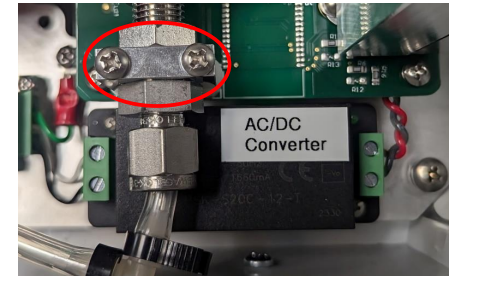
2. Unscrew the Inlet Bulkhead Mount. This is to give the converter room to move in/
out of the instrument.
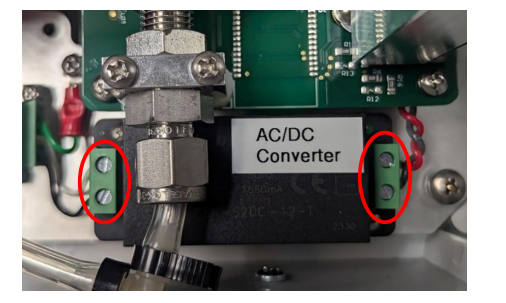
3. Unscrew the four flathead terminals connecting the power to both sides of the
converter.
4. Unscrew the two screws holding the converter to the base plate.
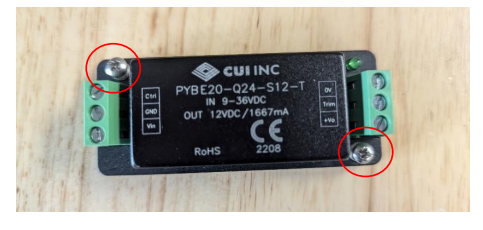
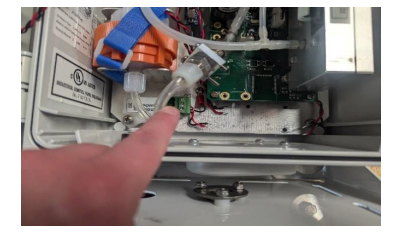
5. The converter should now slide out easily. Once it removed, it should look like
this:
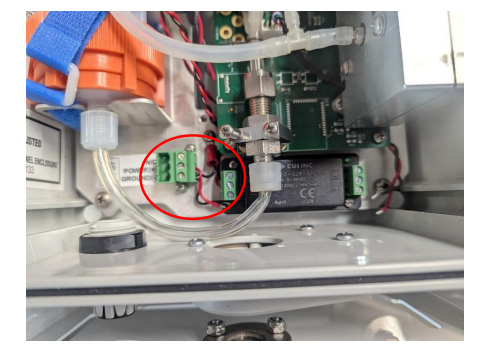
6. Install the new converter into the same space, screwing in the converter into the
base plate. Note which side of the converter is Vin and Vout. Vin will always be
towards the 3-pin power connector.
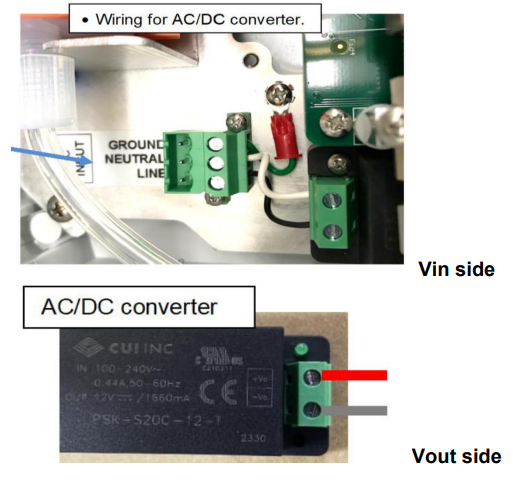
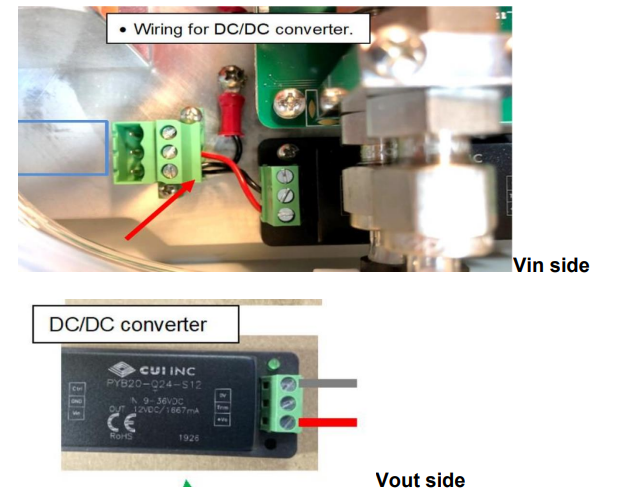
7. Connect the terminal in the new correct spaces. Diagrams for both AC/DC and
DC/DC are below. Note: Using a pair of tweezers to fit the wire in is
extremely helpful.
a. Pictures below of AC/DC connections. The first picture is Vin side, second
picture is Vout.
b. Pictures below of DC/DC connections. First picture is Vin side, second
picture is Vout.
8. Reinstall the Inlet Bulkhead Mount.
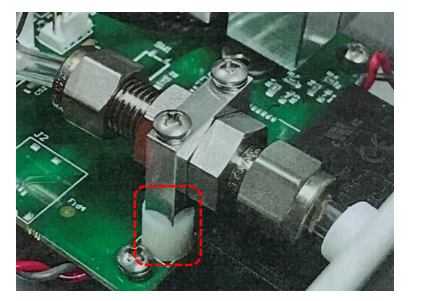
Note that if you are going from DC/DC to AC/DC, longer screws
and some spacers will be needed to lift the bulkhead higher so the
AC/DC converter will fit:
• 2 x #6-32 x 1-⅜” screws
• 2 x #6 spacers of 3/8” L and ¼ or 3/8” OD 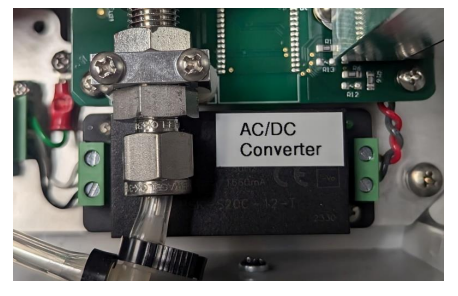
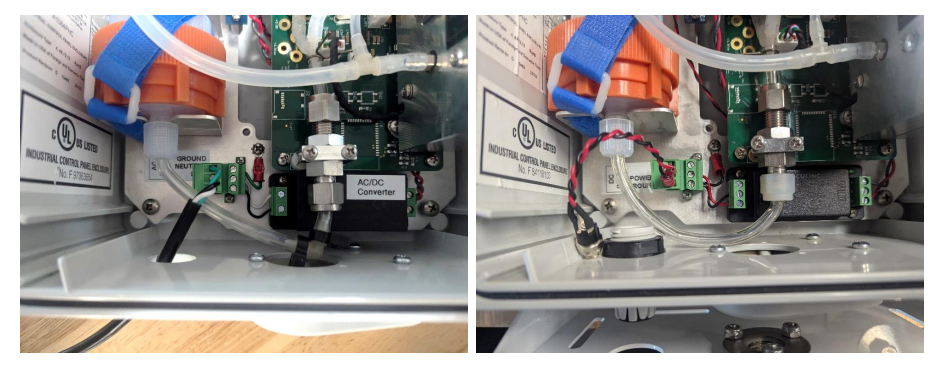
9. Connect the new power supply for the AQLite. (Picture at left for the AC/DC;
picture at right for the DC/DC).
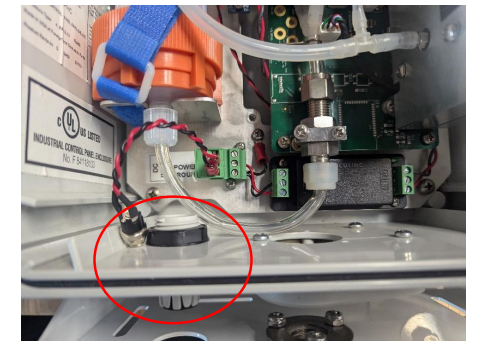
10. Note the opening for a power cord. When using DC/DC, the barrel jack will fit
through the opening and no extra steps are needed. When going to AC/DC,
continue to step 11.
11. When going to AC/DC:
a) Take the power cord provided by 2B and unscrew the three wires. Note the
orientation of them.
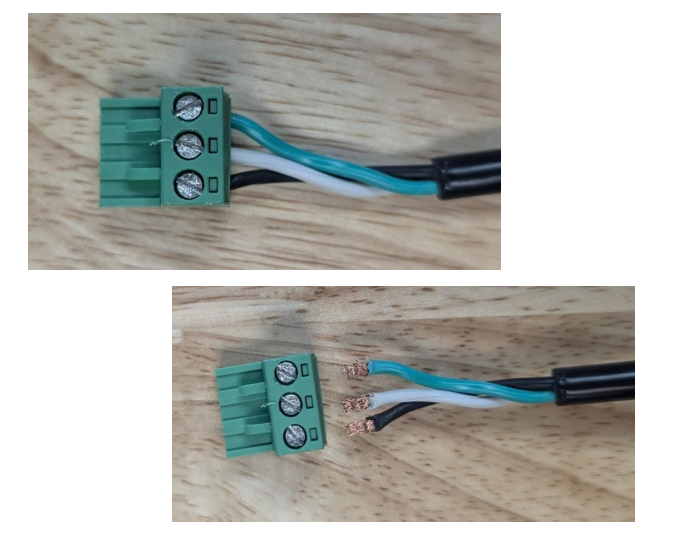
b) Pull the cord through the opening. Then re-attach the wires to the connector.
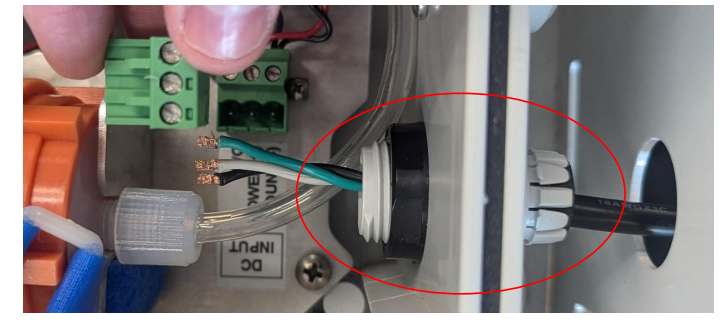
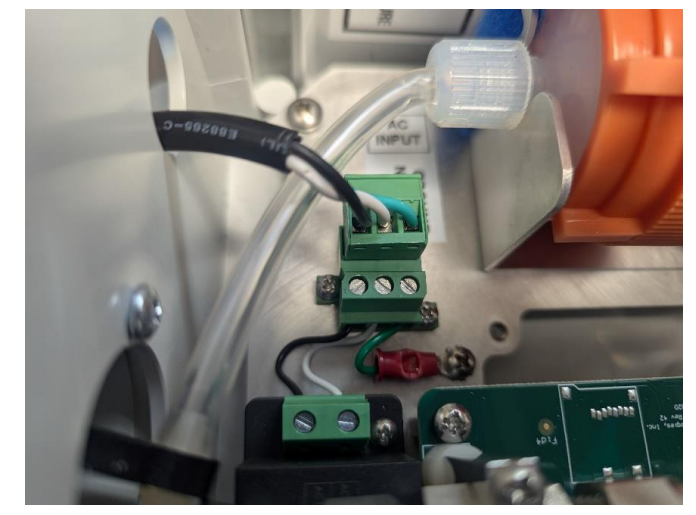
c) Connect the power cord to the 3-pin connector. Make sure the orientation of
wires is the same as picture below before plugging in.