![2BTech_FavIcon-WHITE-OUTLINE.png]](https://kb.2btech.io/hs-fs/hubfs/2BTech_FavIcon-WHITE-OUTLINE.png?height=1412&name=2BTech_FavIcon-WHITE-OUTLINE.png)
Technical Note No. 060
AQSync Gill Weather Station Installation
Date: 08 August 2024
Author: Luke Greenidge
Summary:
This Tech Note describes installing the Gill Weather Station mounting hardware. Contact
techsupport@2BTech.io for questions regarding this procedure.
Tools/Materials Needed:
1 x t40 tamperproof screwdriver
1x 9/16’’ wrench or socket wrench
1x Adjustable wrench
1 x PH #3 screwdriver
1x PH #2 screwdriver
1 x Hardware mounting kit
1x 3/16’’ Allen Key
Important Note: The software will need to be updated or modified for data collection and
transmission. Contact techsupport@2BTech.io for details
Procedure:
1. Unplug the AQSync from all power sources.
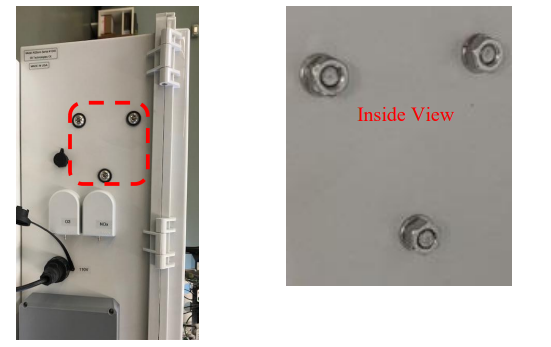
2. Remove the fastener plugs from the left side of the enclosure. Keep the nuts
and internal washers for installing the pole mounting bracket; the sealing
rubber washers are not needed. The nuts are 9/16’’, the fasteners are either PH
#3 or t40.
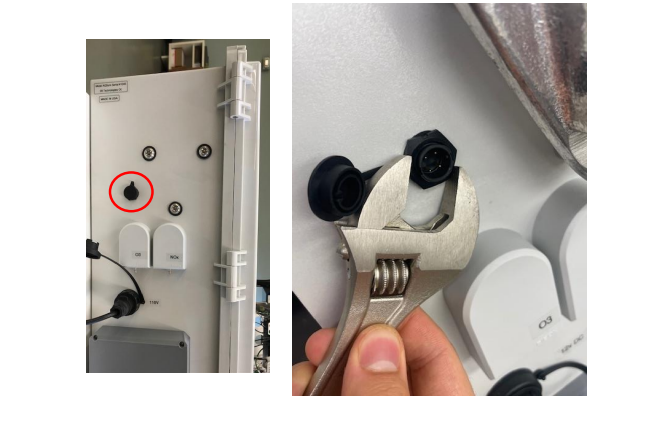
3. Remove the blank weather station power/COM connector by unscrewing the nut
on the outside of the enclosure. This can be removed with an adjustable wrench.
Remove the piece on the inside of the enclosure.
4.
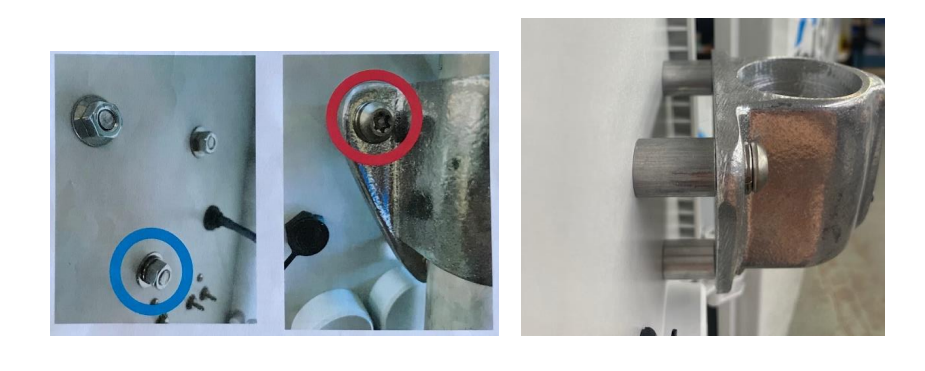
a) Install the 1-7/8” pipe mounting bracket on the outside of the enclosure using 3x
each of:
• 3/8-16 2” Torx screws
• 3/8”x1” large Aluminum spacers
• 3/8” SS split washers
• 7/8”OD flat washers [11-763]
• 3/8”-16 SS nuts
Important: The split washer goes between the bracket and the screw head on the top
two screws (red circle) but on the bottom (lower) screw, it goes on the inside between
the nut and flat washer (blue circle). This is giving the clearance needed on both sides
to allow the power supply to sit straight and the weather station pole to slide down.
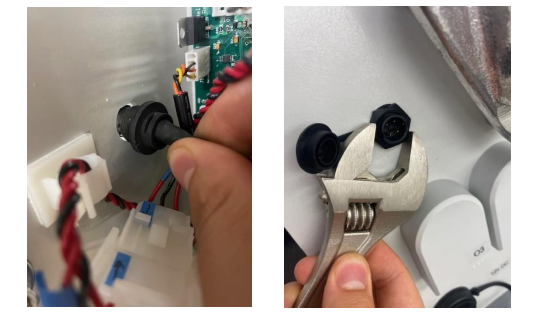
b) Install the USB side of the cable in the enclosure. Use an adjustable wrench to secure
the nut. The USB is plugged in at a later step.
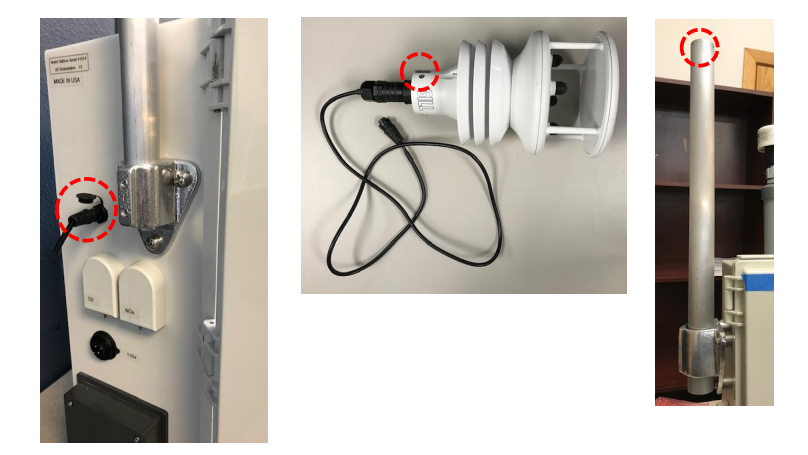
c) Plug the cable into the weather station and route the end of the cable down the
machined mounting pipe (1-3/4” OD). Use 3x 10-32 ½” screws to attach the weather
station to the mounting pipe’s 3 machined holes (red circles below).
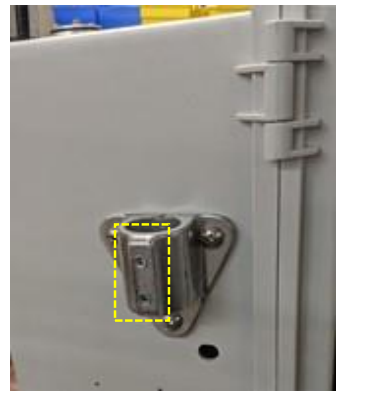
d) Mount the weather station and mount the pipe into the pipe mounting bracket using a
3/16” allen key and the two set screws in the mount (yellow box in photo).
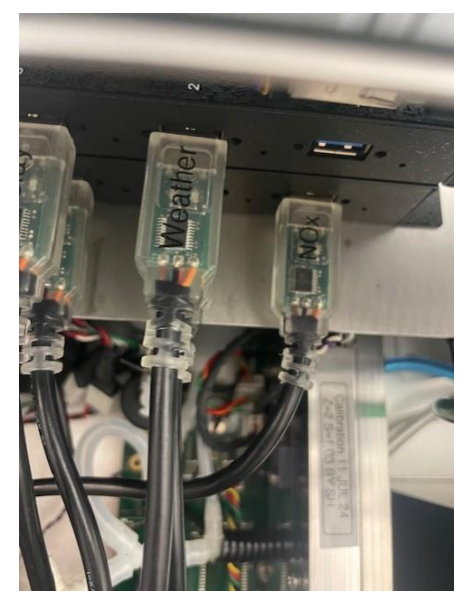
e) Plug the USB cord into any slot on the USB hubs underneath the touchscreen.