![2BTech_FavIcon-WHITE-OUTLINE.png]](https://kb.2btech.io/hs-fs/hubfs/2BTech_FavIcon-WHITE-OUTLINE.png?height=1412&name=2BTech_FavIcon-WHITE-OUTLINE.png)
Technical Note No. 062
Scrubber Replacement for Ozone (AQSync)
Date: 20 August 2024
Author: Lupita Ortega
Summary:
This procedure shows how to replace the internal Ozone scrubber assembly in the
AQSync product. Please contact support@2btech.io for further questions or support
regarding this procedure.
Tools/Materials Needed:
Scrubber assembly
9/64 Allen wrench
Procedure:
1. Turn off and unplug the AQSync.
2. Open the touchscreen to have access to the USB hubs shelf.
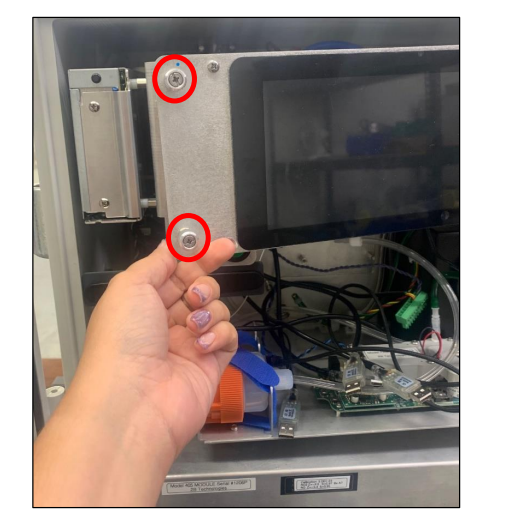
3. If there is a Wi-Fi router, remove using a 9/64 Allen wrench.
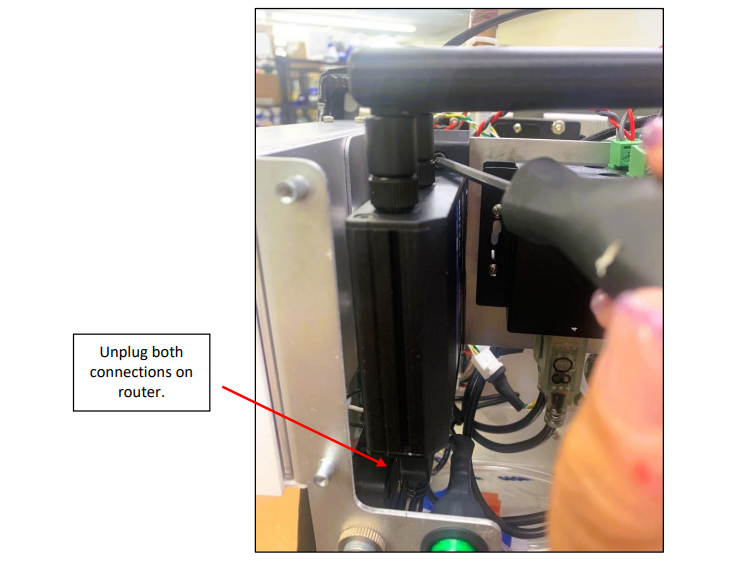
4. Unplug everything plugged in to the USB hub.
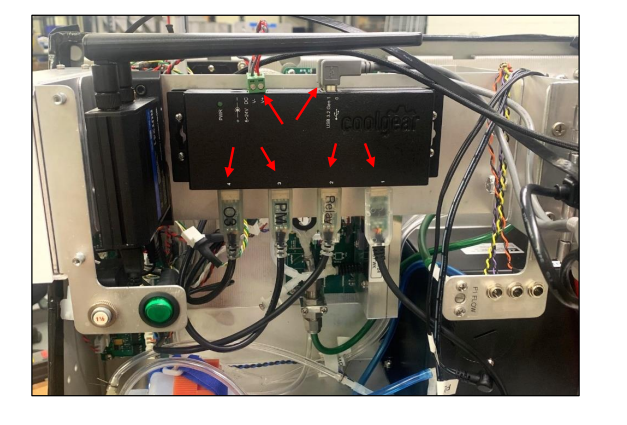
5. Remove the USB hubs shelf by unscrewing all four thumbscrews (highlighted
below) for better access to the O3 monitor.
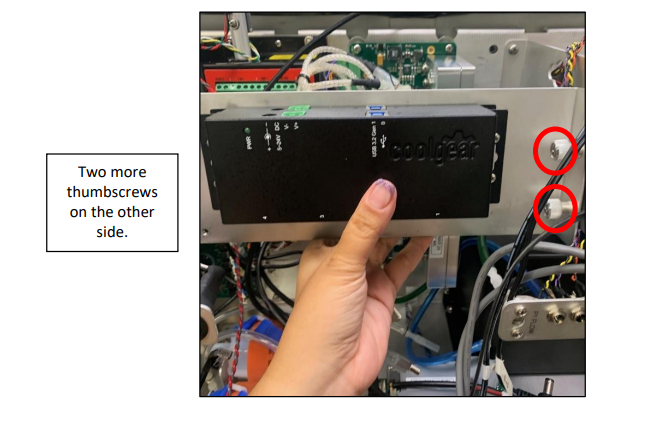
6. Without removing the monitor swap out the scrubber assembly.
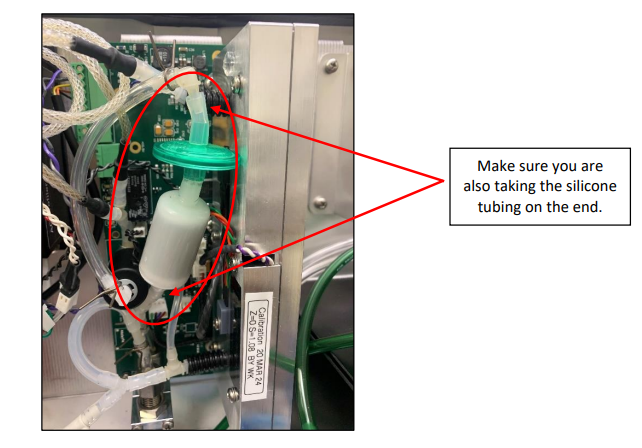
7. Make sure the orientation is correct with the green filter towards the top and the
scrubber close to the bottom.
8. Put everything back into place making sure to attach the Wi-Fi router after the
shelf has been screwed in.
9. Plug everything back in.
10. At the end of maintenance, you will want to make sure that everything that got
plugged back in is still reading data:
a. All the USBs are plugged in to the USB hub.
b. Check that all the instruments are showing data and are green on the
main screen of the AQSync.
c. Make sure the Wi-Fi router is connected. Top right on main screen