![2BTech_FavIcon-WHITE-OUTLINE.png]](https://kb.2btech.io/hs-fs/hubfs/2BTech_FavIcon-WHITE-OUTLINE.png?height=1412&name=2BTech_FavIcon-WHITE-OUTLINE.png)
Technical Note No. 041
Procedure for Programming the 106 PCB (Rev 20 and Above)
Date: 14 March 2016
Author: Craig Williford
Requirements
Programming the 106 pcb (rev 20 and greater) requires a computer running the
"Microchip Serial Bootloader" program to download the firmware from the computer to the
instrument, the stereo-rs232 serial cable provided by 2B Technologies, and the firmware
or .hex file to be programmed onto the 106. The computer must have a serial port or a
USB port with a USB to Serial converter cable to connect to the rs232 serial cable
provided by 2B Technologies.
Procedure
1. Install the Microchip Serial Bootloader by starting the executable file you have just unzipped.
2. Save the firmware (O3106XVERXX.hex) to the computer you have installed the Serial Bootloader on.
3. Plug the serial connector into the 106.
4. Open the “Serial Bootloader AN1310” application that was installed in step 1.
5. Select the appropriate COM port (Program -> Settings).
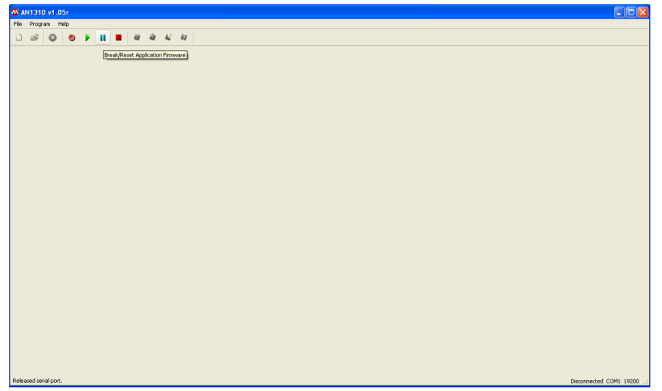
6. Click on the blue “pause” button in the Serial Bootloader application to send a Break/Reset through the serial connection to the 106.
7. Turn the 106 on. You should see a row of black squares at the top of the LCD. If it turns on like normal, check the connection, make sure you have power to the 106, also make sure you have the correct COM port set and try step 6 again.
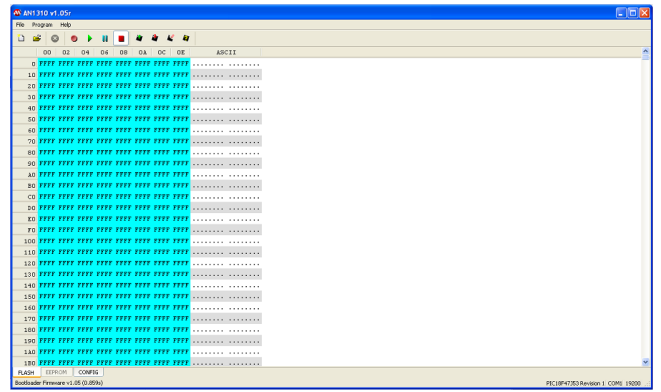
8. Press the red square button on the Serial Bootloader application to enter the bootloader mode. Your screen should look like the snapshot below if working correctly.
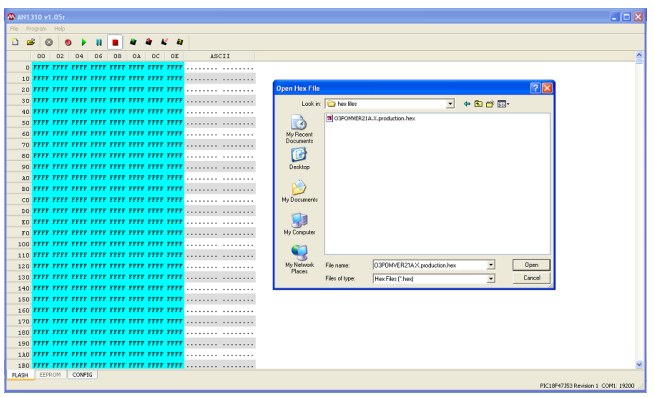
9. Click the open button in the Bootloader application and select the firmware (O3106XVERXX.hex) file that was provided by 2B Technologies.
10.After selecting the file, the screen will look like the following. Press the red arrow
button on the black box to start programming the 106.
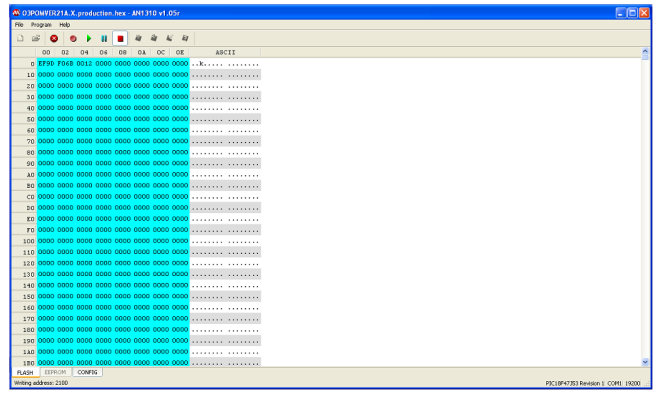
11.Programming should take 30-40 seconds to complete. You can see the status of
the programming on the bottom left corner of the application screen.
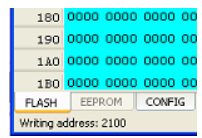
12.When the programming has completed you can press the green arrow on the
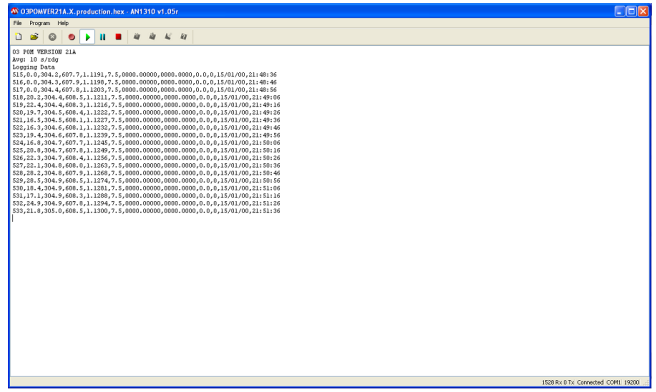
Bootloader application to reset and start the firmware. You will see data come in through the serial port to the screen.
13.Done!